How to Make a Data Room in Claude
A data room used to mean a folder of files and a lot of hoping. You can build one in Claude instead: a clean, numbered index where every row is a tracked link, made in the same chat where you do the rest of your work.
In this guide you'll learn what belongs in a data room, how to generate one in Claude with the Send connector, and how to share a single link that shows you which investors opened which documents.
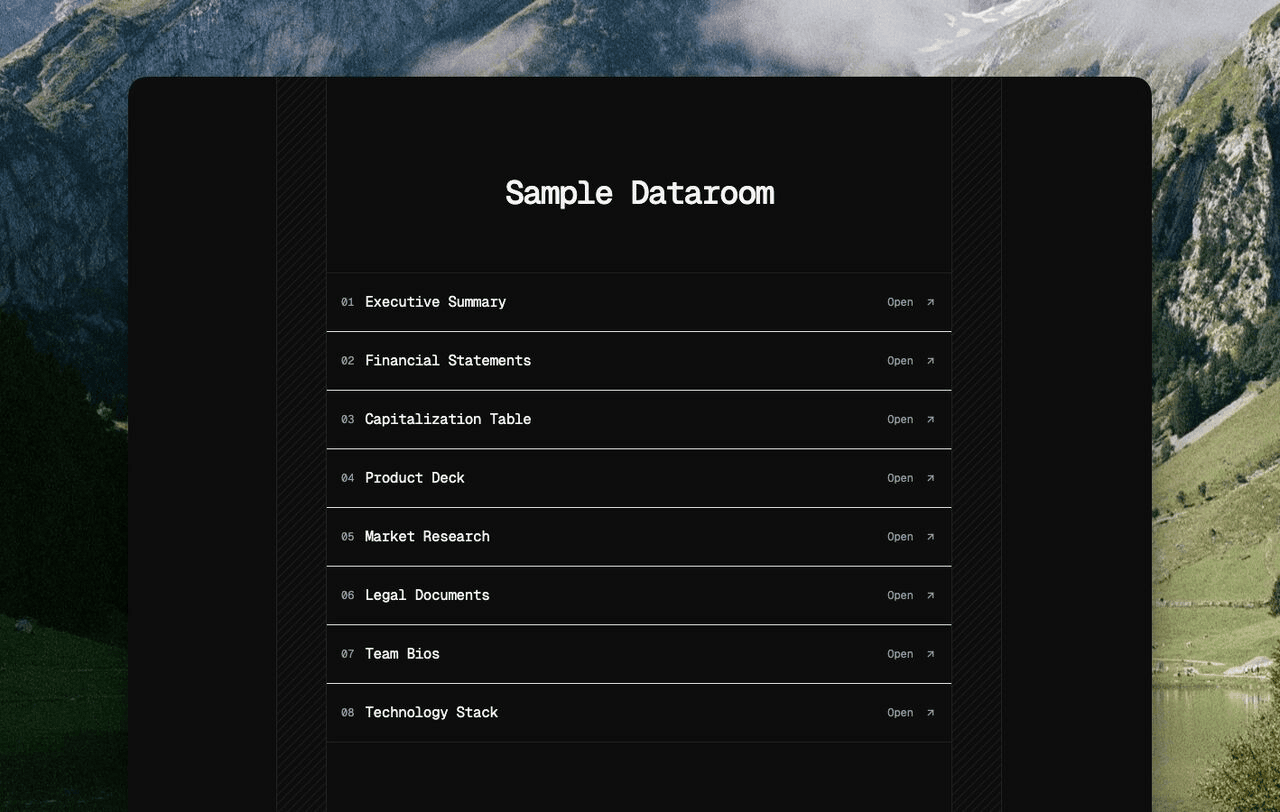
Example of a Well-Made Data Room
The data room above is a directory you'd want to click through. One column, numbered rows, each row a link to a single asset: the executive summary, the financials, the cap table. It looks like an index someone designed on purpose, not a file dump exported from a shared drive.
Notice what's not there. No file-size badges, no "updated 3 days ago," no icons cluttering each row. Just a number, a label, and an arrow that says open. That restraint signals you've thought about what the reader sees.
Why a Clean Data Room Matters
Investors judge your operation by the artifacts you hand them. A messy folder reads as a messy company.
A single tracked link does two things a folder can't. Every investor gets the same clean starting point. And you find out who actually opened your financials versus who skimmed the deck and stalled.
That second part changes how you run the raise. Instead of guessing who's engaged, you follow up on what people actually read.
Core Elements of a Data Room
Every data room, no matter the company, comes down to three parts.
The Index
The front page. A numbered list of assets, ordered by importance to the reader rather than alphabetically. It's the first thing the investor sees, so it has to be legible in about two seconds.
The Linked Assets
Each row points to one document: a deck, a model, a contract. In Send, every asset is its own trackable link, so the index is really just a tidy set of links.
The Tracking
The part a folder will never give you. Every open gets logged, on the index and on each asset: who opened it, when, and for how long. The data room watches itself so you don't have to.
What Goes in a Data Room, Section by Section
Most early-stage data rooms have five sections. Each one answers a question the investor is already asking. Use this as your row list.
1. Overview: Deck → One-Pager → Vision
The first thing they open, so put it first.
- The pitch deck
- A short one-pager or executive summary
- A line on where the company is going
Example: A seed-stage founder leads with the deck, then a one-pager that an investor can forward to a partner without scheduling a call.
2. Financials: Model → Statements → Metrics
The numbers that back the story.
- The financial model
- Historical statements, if you have them
- A clean view of the metrics that matter (ARR, growth, burn)
Example: A SaaS founder links a model showing 18 months of runway and a metrics tab that pulls ARR and net revenue retention to the top.
3. Legal: Cap Table → Incorporation → Agreements
What an investor's lawyer will ask for in diligence.
- The cap table
- Incorporation documents
- Key agreements (prior SAFEs, notes, major contracts)
Example: A founder raising a priced round links a cap table that already models the new round's dilution, so the term sheet conversation starts from a shared number.
4. Product and Traction: Demo → Roadmap → Proof
Evidence the thing works and people want it.
- A product demo or walkthrough
- The roadmap
- Customer proof: logos, case studies, a retention curve
Example: A founder links a two-minute demo and a single chart showing weekly active users climbing, which does more than a paragraph of claims.
5. Team: Founders → Key Hires → Advisors
The people behind all of the above.
- Founder bios
- Key hires and open roles
- Advisors or notable backers
Example: A technical founder links short bios that lead with what each person shipped before, not where they went to school.
How to Build It in Claude
This is faster than it sounds. You're not writing any HTML. You describe what you want and Claude assembles it.
Connect Send to Claude
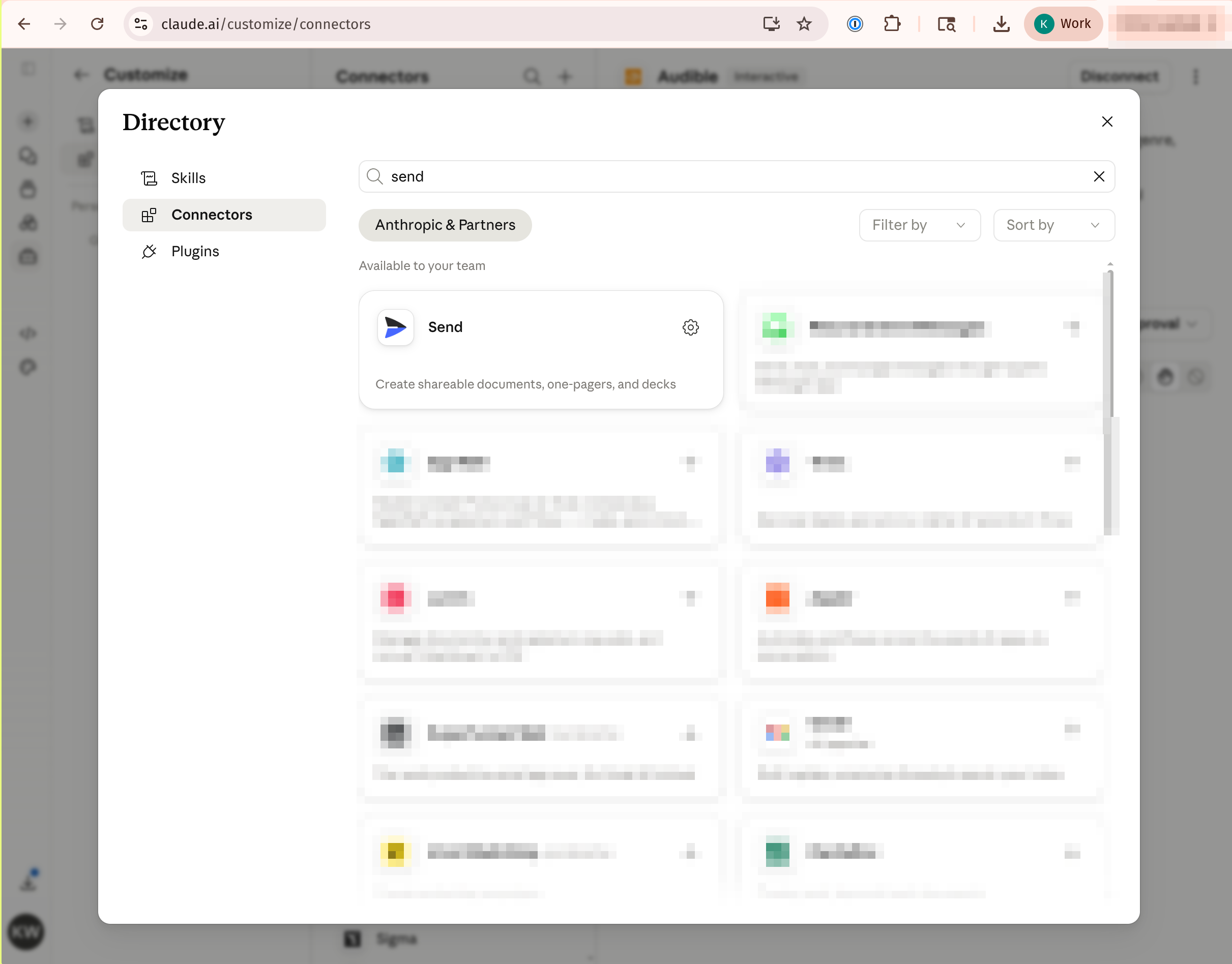
Add Send as a connector in Claude once. Open Claude's connector directory, search for Send, and connect it. After that, Claude can create, edit, and share documents on your behalf, and the connection persists across chats.
Gather Your Assets
Get each document into Send. Upload a PDF or deck, or paste a link to Google Slides or Gamma, and each one becomes its own tracked link. You're collecting the rows your index will point to.
Ask Claude to Build the Index
Tell Claude to make a data room index from your assets, and point it at the Send Data Room Guideline so the layout matches. It generates a clean directory page, numbered rows with one link each, and hands you back a single shareable link.
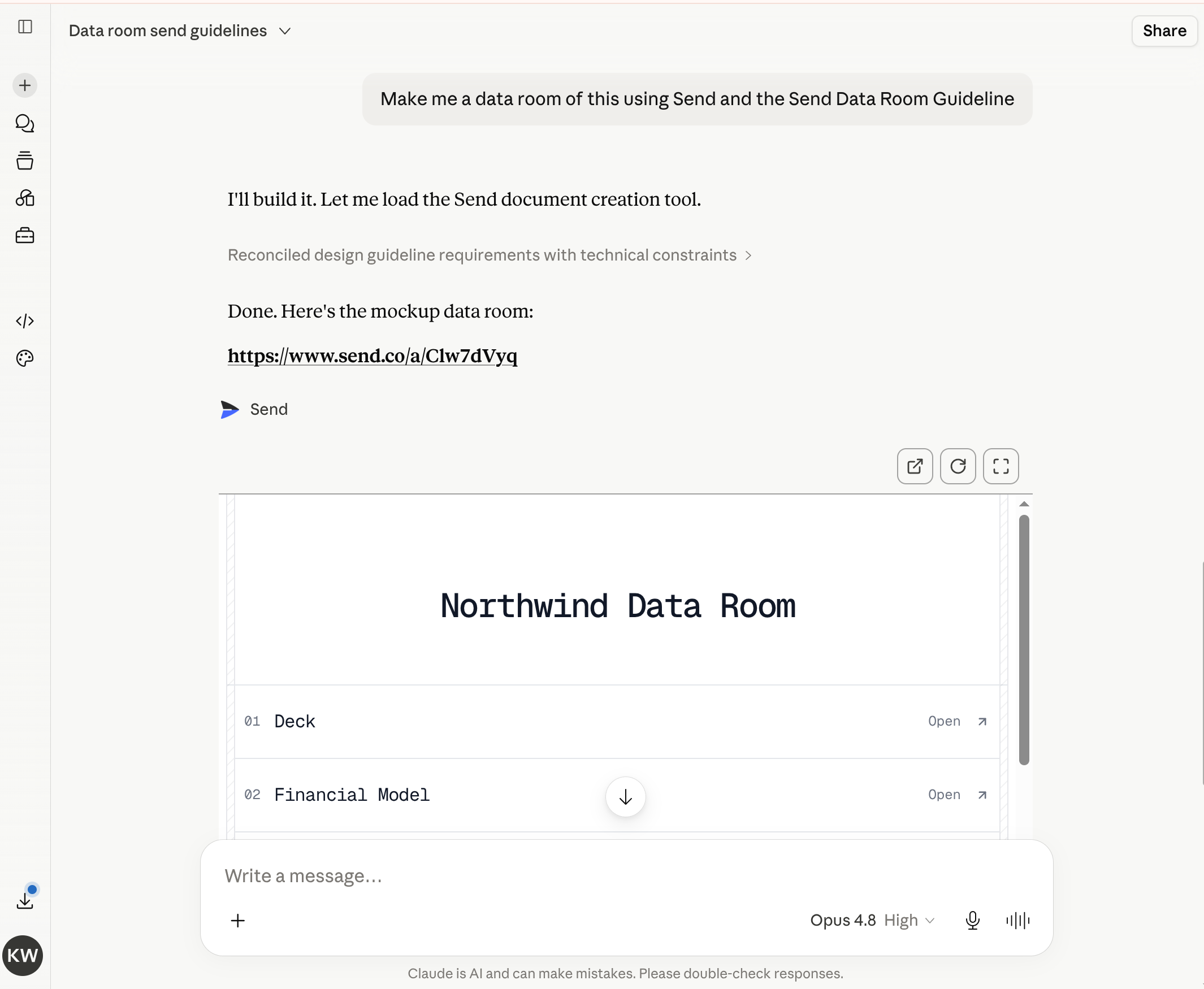
You can ask for changes in plain language. "Reorder so financials come second." "Shorten the labels." The link updates in place.
How to Share and Track It
Send the one index link the way you'd send anything else, by email or a message or a calendar invite. Investors click through, and nobody has to make an account to read it.
Then the signal starts coming in. You see when each person opened the room, where they were, and how long they stayed. A 14-minute read from Denver is a different conversation than a 4-second bounce.
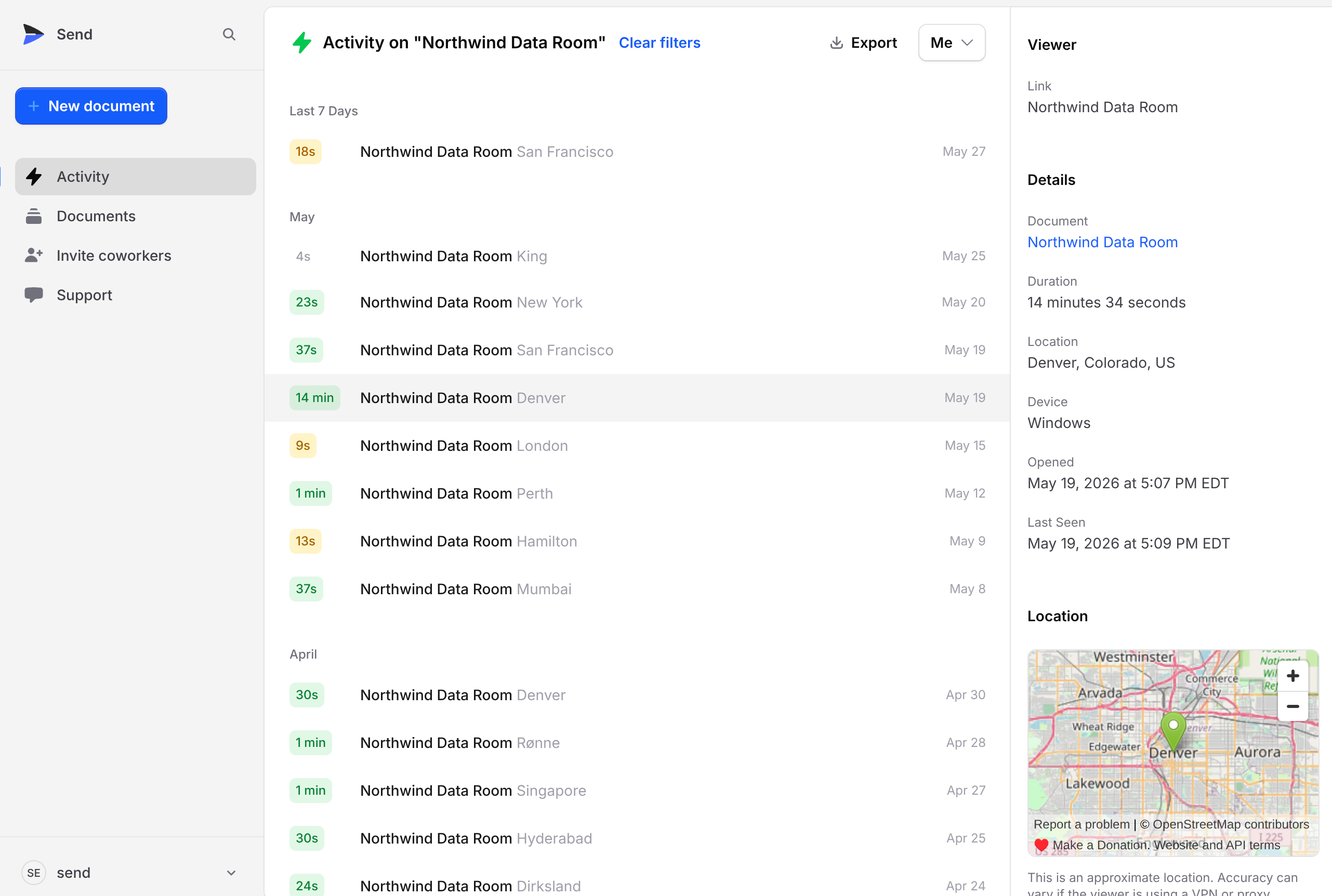
A folder you email is silent after you hit send. This tells you who to call next.
Common Mistakes (and How to Fix Them)
Dumping every file you have. Thirty rows doesn't read as thorough. It reads as a chore. Keep it to five or ten, ordered by what the reader needs first.
Long, hedge-y labels. "Q3 2025 Financial Model (draft v4)" is noise. Use one to three words. "Financial Model." The link carries the detail.
Cluttering rows with metadata. File sizes, dates, and icons all compete with the label, which is the part that matters. Number, label, arrow, and stop there.
Treating it as a static export. A folder you zip and email is frozen the second it leaves your outbox. A single link can be updated, and it reports back.
Alphabetical ordering. Investors don't read A to Z. Lead with the deck, then the numbers, then the rest.
Why Send Makes Data Rooms Easier
We built Send because sending important documents as attachments meant flying blind. A data room is that problem at its worst: high stakes, a lot of files, and no idea who's reading.
With Send, the data room Claude generates is a tracked document, and so is every asset it links to. You share one link and get back a live view of who opened the room, which documents they cared about, and when interest spiked. During a raise, that lets you spend your time on the investors already reading your financials instead of chasing everyone equally.
It's the same workflow founders already use for pitch decks, pointed at the whole package.
FAQs
What is a data room?
A data room is a single, organized place where you share the documents an investor or buyer needs for diligence: the deck, financials, cap table, and contracts. Done well, it's an index of tracked links rather than a folder of files.
Do I need a special tool to make a data room in Claude?
You need the Send connector. Once Send is connected to Claude, you can ask Claude to build the index and share it as a tracked link, all inside the chat.
Can investors see who else has access?
No. Each person opens the link on their own. You see the engagement on your side; they just see a clean index of your documents.
How is this different from Google Drive or Dropbox?
A shared drive gives you storage and folders but no signal, so you can't tell who opened what. A data room built with Send is a designed index where every row is tracked, so you know who read your financials and for how long.
How many documents should a data room have?
For an early-stage raise, five to ten. Enough to answer the obvious questions, few enough that the index stays readable. If you're past a dozen, group them under section headers.
Can I update the data room after I share it?
Yes. The link stays the same and the contents update in place, so you can refine labels, reorder rows, or swap a document without sending anyone a new URL.
Make a Data Room You're Proud to Send
Your documents say as much about you as your pitch. Get started with Send, build a data room in Claude, share one link, and know exactly who's reading.