Candidate profile template
Give hiring teams the signal, risks, and next step before they meet the candidate.

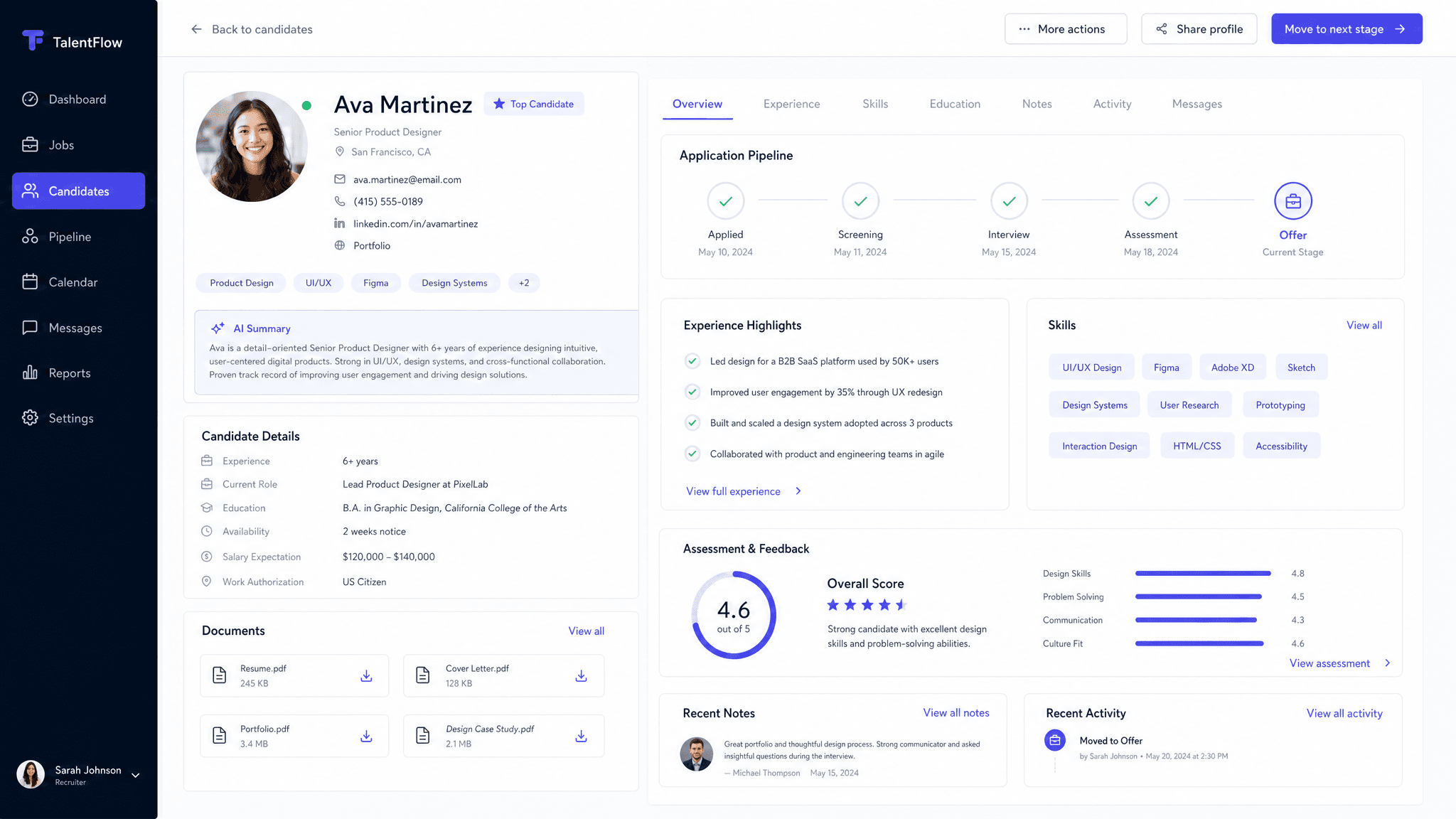
A good candidate profile does one job: help a team understand why a candidate is worth interviewing or advancing. The format matters, but the useful part is the thinking behind it. Readers need the context, the recommendation, the proof, and the next step without having to reverse engineer your intent.
Claude can turn resume details, recruiter notes, interview notes, work samples, compensation needs, and role requirements into a clear first version. Send turns that version into a live page you can share, track, and revise as the conversation changes.
What to include in the candidate profile
- Candidate summary and target role.
- Relevant experience, strengths, and proof.
- Role fit, risks, and open questions.
- Compensation, location, availability, and process notes.
- Recommended next step for the hiring team.
Prompt to use in Claude
Search the registry for the Send connector. Once connected, use their "send/candidate-profile" skill.
How to create it with Send
Give Claude resume details, recruiter notes, interview notes, work samples, compensation needs, and role requirements, plus any constraints, examples, or audience notes that matter. Ask it to create the candidate profile with the Send connector so the output becomes a page instead of another loose document.
After you share it, Send helps you see whether hiring managers and interview teams open it, come back to it, or share it internally. You can update the same link when details change.
Candidate profile structure
Snapshot
Candidate, target role, current status, and why they are relevant.
Fit
Experience, strengths, work samples, and proof.
Questions
Risks, gaps, and topics to test in interviews.
Process
Compensation, availability, next step, and owner.
Why send a candidate profile as a page
Candidate context gets lost across Slack threads and calendar invites. Send gives the hiring team one profile to review before interviews and decisions.