Personalized outbound template
Give each target account a page that explains why your offer matters to their business.

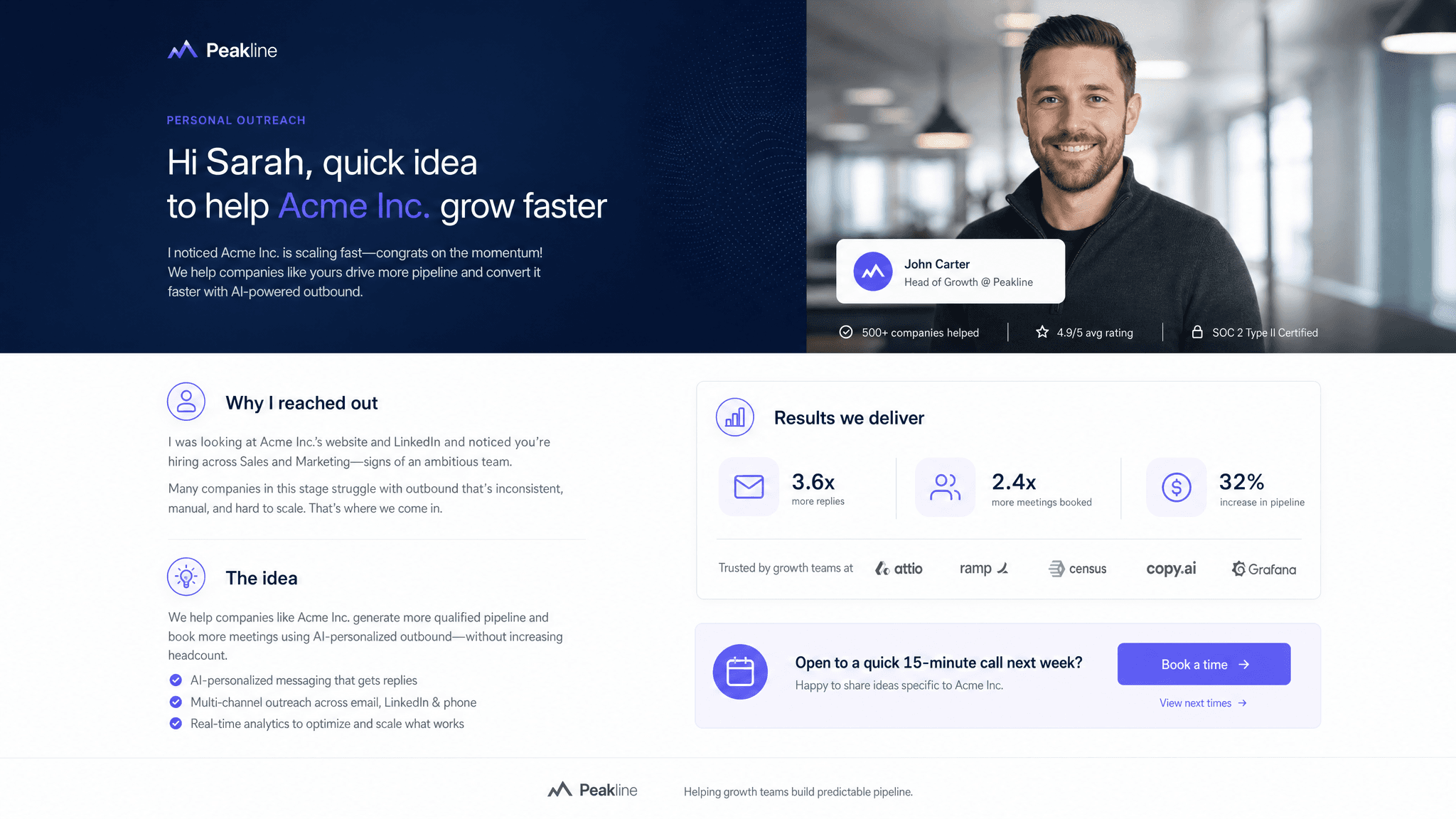
Most outbound still asks the buyer to do too much work. The message says a name, maybe a company, then drops into the same pitch everyone else gets. A personalized outbound page gives the account a better starting point: here is what we noticed, here is why it may matter, and here is the next step if this is worth a conversation.
Claude can start from a lead list, your positioning, approved proof, and public account context. Send turns each account version into a tracked page, so you can see which companies open, revisit, or share it before you follow up.
What to include in the outbound page
- Account context: what the company does, who they sell to, and why they are on the list.
- A specific reason you think the timing or problem may matter to them.
- The likely pain point, written carefully so it does not pretend to know private information.
- Your product's relevant use case, not the whole pitch.
- Proof from a similar customer, segment, workflow, or business model.
- A short call to action: reply, book a call, review a demo, or ask a question.
- Source notes or assumptions if the page uses public research.
Prompt to use in Claude
Search the registry for the Send connector. Once connected, use their "send/personalized-outbound-page" skill.
How to create it with Send
Give Claude your lead list, ideal customer profile, positioning, customer proof, and any source rules you want it to follow. Ask it to create one Send page per account. The page should connect your offer to the account's business without sounding like it scraped a profile and guessed at everything.
Send gives you a link for each account. You can use those links in outbound emails, LinkedIn messages, or follow-up sequences, then watch which accounts engage before you spend more time on them.
Outbound page structure
Why this account
The company context and the specific reason they are a plausible fit.
Likely problem
The business pain or workflow gap, framed as a hypothesis instead of a claim.
Relevant offer
The part of your product or service that maps to their situation.
Proof and next step
A useful example, a low-friction CTA, and what happens if they respond.
Why send outbound as a page
A generic cold email makes the buyer connect the dots. A Send page lets you do more of that work before the call. It also gives you a clearer signal: if an account opens the page twice or forwards it, that is different from a silent inbox.